Impact Lab Realistic Explosions soon How to Redeem Impact Lab Codes
Menu patterns, shop fields, and fixes for failed redeems when promo codes finally appear.
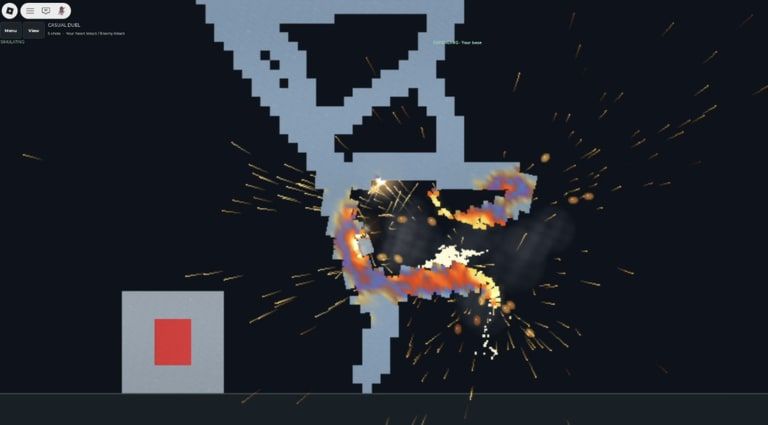
Redeeming a Roblox promo code sounds simple until the UI hides the field, a space sneaks into the paste, or the code was never live. This guide walks through how to redeem codes in Impact Lab: Realistic Explosions soon! using patterns common to Roblox experiences, plus game-specific notes for a fortress PvP sim that pays out coins toward armor upgrades.
Remember the status from the Codes Hub: as of November 2026 there are no verified public codes. Keep this page ready so the moment LOQualitygamez enables a Codes entry—especially around the realistic explosions tease—you can claim rewards without fumbling mid-match.
Before you start
- Launch Roblox and open the official place from the experience page (Impact Lab: Realistic Explosions soon!).
- Use a normal account you control. Never share your password with “auto redeem” websites.
- Finish any mandatory tutorial prompts so HUD and shop buttons are unlocked.
- Have the exact code string ready in a notes app. Prefer copy-paste over retyping.
- Play on a stable connection. Soft disconnects can eat a success toast before you notice inventory changes.
If you are brand new to the loop—pick tank, bunker, or building fortress, protect the VIP, fire turn-based shots—skim getting started first so coin rewards go into useful armor instead of impulse purchases.
Typical Roblox redeem locations
Impact Lab may place codes in one of these UI patterns. Check them in order after every major patch listed on the Updates Hub:
Shop or store tab
Many experiences put a Codes, Redeem, or Gifts button beside Robux offers or coin packs. Open Shop, scan the left rail or top tabs, and look for a text field with a Redeem / Claim button.
Settings or hamburger menu
Some games tuck Codes under a gear icon, three-line menu, or Misc tab next to music and graphics. Scroll past sensitivity options; the field is often at the bottom.
Event banner
During REALISTIC EXPLOSIONS / BIG UPDATE windows, a full-screen or top banner may deep-link into a redeem popup. Click through once, redeem, then close so you can return to fortress setup.
Group rewards vs in-game codes
Roblox also has platform-level group join gifts. Those are separate from Impact Lab typed codes. Joining LOQualitygamez’s group (if available) does not replace an in-game Codes box. This wiki only tracks in-experience strings on the Codes Hub.
Step-by-step redeem flow
- Join a live server (server size is small—only three players—so waits are short).
- Open the UI location that matches the current patch (Shop first, then Settings).
- Click the Codes / Redeem control to focus the text box.
- Paste the code. Remove leading or trailing spaces. Respect capitalization unless the game explicitly lowercases input.
- Press Redeem / Submit / Claim once. Do not spam-click; double submits can look like failures.
- Watch for a green toast, coin popup, or inventory highlight. Screenshot it if you track rewards.
- Open your armor / currency panel and confirm coins or unlocks actually applied.
- Only then leave the server or switch places.
If the Codes control is missing entirely, public typed codes are probably not enabled yet. That matches our empty list on the Codes Hub—do not install executors claiming they “force redeem.” Read executor safety instead.
Game-specific guidance for Impact Lab
Impact Lab is a turn-based PvP physics sim. Redeeming mid-duel can steal focus while you should be reading Normal vs Pressure views or adjusting aim and power. Best practice:
- Redeem in the lobby or between rounds when the VIP is not under fire.
- Spend new coins on armor that resists projectile deformation and explosion bending for the fortress type you main.
- After a gift, run a quick material range check in campaign challenges so you feel how upgraded plates crumple under test shots.
- Use aim and power practice tips so free coins translate into cleaner breakthroughs, not wasted shells.
Badges such as Welcome to Fortress Smash and First Breakthrough are progress milestones, not code rewards. Do not confuse badge popups with successful code claims.
Troubleshooting failed redeems
“Invalid code” with a string from TikTok
Most viral lists are recycled from other games. Confirm the code on the Codes Hub before retrying.
Code worked for a friend but not you
It may be one-time per account, region-gated, already expired, or tied to an event you have not unlocked. Check updates for expiry notes when we publish them.
No error and no reward
Rejoin, reopen the currency panel, and check whether the Codes UI even exists. Soft UI bugs happen after large patches; try another server.
Spaces, unicode lookalikes, or trailing punctuation
Re-copy from a plain-text source. Avoid codes embedded in stylized fonts.
Asked for password or Roblox security code outside Roblox
Stop immediately. That is phishing, not Impact Lab support.
Executor overlay covering the redeem button
Close third-party injectors. They violate Roblox rules and can get the account moderated. See the Scripts Hub for honest guidance.
After a successful redeem
- Note the reward type (coins vs unlock).
- Plan armor purchases around VIP protection, not cosmetics first.
- Re-check Normal and Pressure views so new plates read correctly under stress visualization.
- If the gift was event-tied, read the realistic explosions prep page so you know how long the window lasts.
Safety rules that never change
- Official redeem happens inside the Roblox client for this experience.
- No legitimate Impact Lab code needs your password.
- Empty code lists are normal; fake generators are not.
- Report phishing links through Roblox moderation tools.
Related reading
- Codes Hub — live list status (currently none verified).
- Updates Hub — when event codes are most likely.
- Tools Hub — turn coin gifts into better shots.
- Wiki overview — official place link and game facts.
Frequently Asked Questions
Quick answers to the most common Impact Lab questions.
Where is the Codes button in Impact Lab?
Check Shop tabs first, then Settings or event banners after joining the live place. If no Codes field exists, public typed codes are likely not enabled yet.
Are codes case-sensitive?
Assume yes until proven otherwise. Paste exactly and strip accidental spaces before hitting Redeem.
Why did my code say invalid?
It may be expired, mistyped, already claimed, or never real. Cross-check the Codes Hub before retrying random social media strings.
Can I redeem during a fortress duel?
You can, but it is safer between rounds so you do not miss aim and power timing while protecting the VIP.
Do I need an executor to redeem?
No. Real codes use in-game UI only. Executors that claim auto-redeem are unsafe—see the executor safety guide.